Stop Designing AI Interfaces. Just Use Slack and Asana.
The best app UX for your AI employee is the one you already have for your human employees. How Slack replaced Claude Code for me, and Asana became the source of truth.

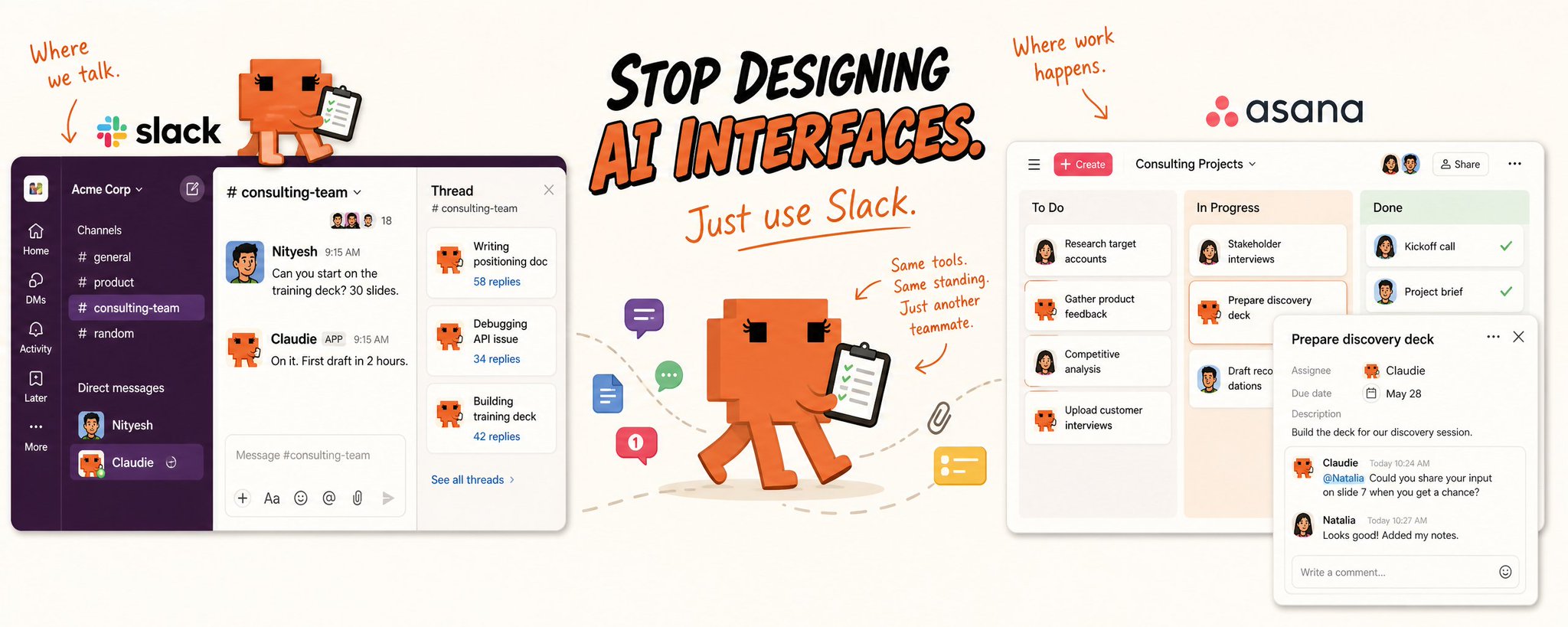
Over the last couple months, I've come to this realization — the best app UX for your AI employee is the one you already have for your human employees. For us, that's Slack and Asana.
I know that's a hot take because the 2 big model companies are racing to design the perfect AI interface where work happens – Claude Code, Codex, Claude Code mobile, Cowork, OpenClaw, Dispatch etc.
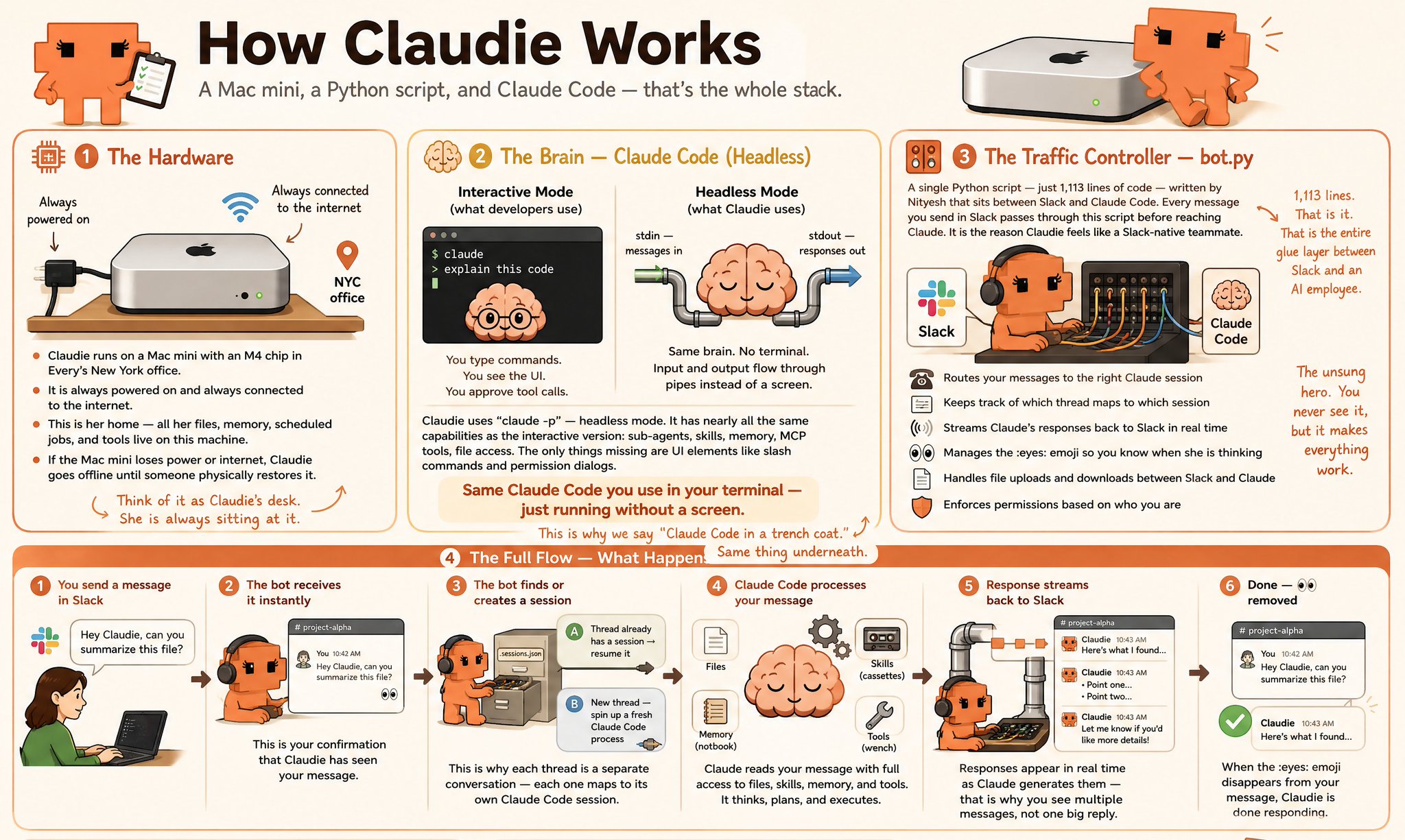
But I've been making and working with our AI chief of staff for the Every Consulting team – Claudie – for the last couple months. She runs on Claude Code on a Mac mini, always on, accessible via Slack.
She helps us with our non-technical operations work of all size and shapes – maintaining client dashboards, drafting proposals, builds slide decks, doing research and more.
What this has made me realize is that maybe we don't need a breakthrough AI interface to manage our swarms of AI agents. All we need is to put AI into the interfaces we already use to collaborate with humans.
Lemme explain what I mean by giving 2 instances of how I did it.
How Slack replaced Claude Code for me
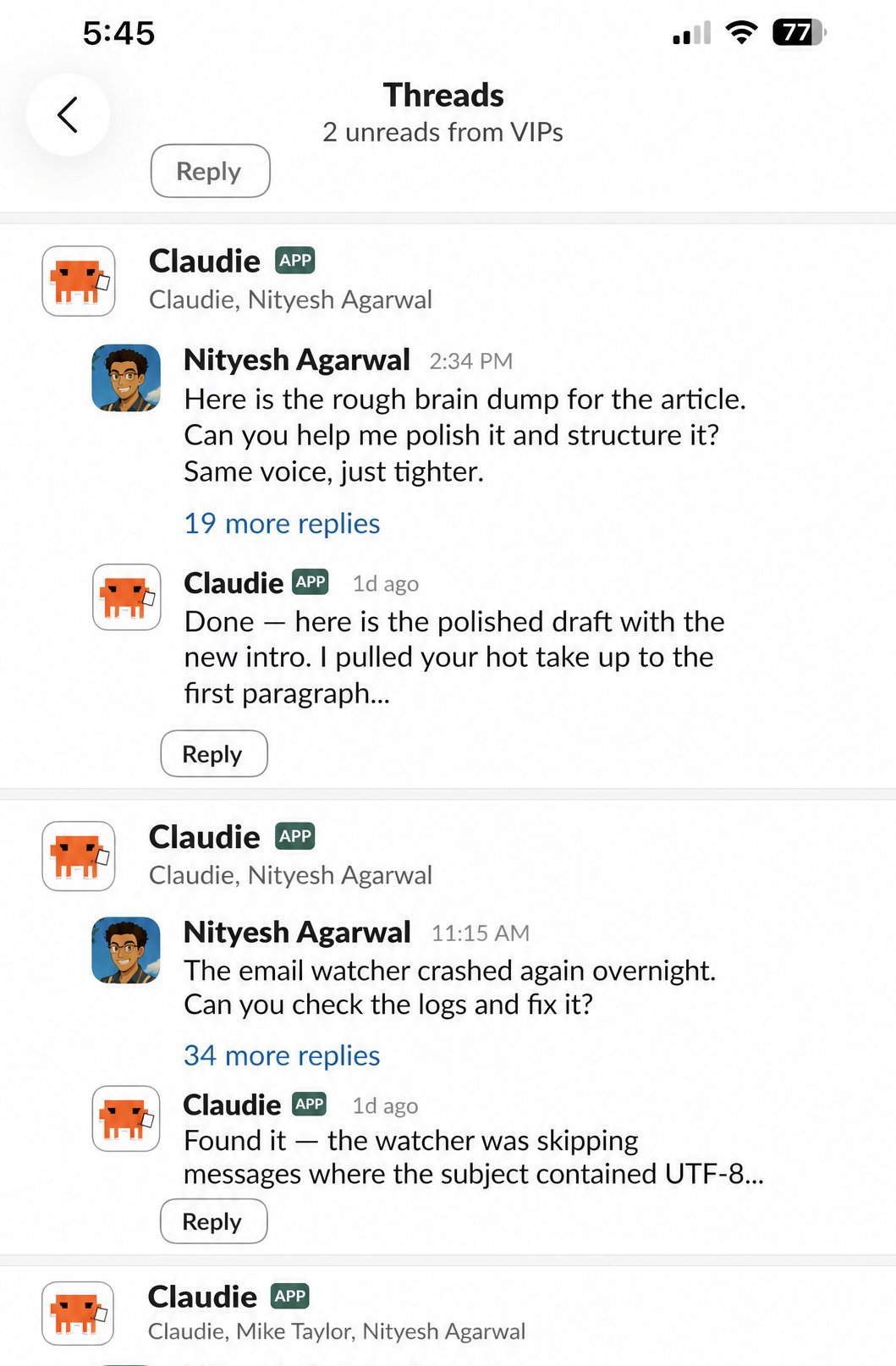
I'm a developer. I'm comfortable in the terminal. Claude Code was "hell yes" for me from day 1 — I used it daily. But since I onboarded Claudie into Slack, I have almost completely stopped opening Claude Code in my terminal.
Here's how I use it in Claudie today:
- Claudie runs Claude Code in headless mode. I wrote a simple python script so every Slack thread maps to exactly one Claude Code session. That means starting a new piece of work is just... starting a new thread. Going back to old sessions is just... scrolling up and typing in that thread.
- As I write this, I have three concurrent threads going with Claudie. One where we're writing this article. One where we're debugging a bug in her system. One where she's building a 30-slide PowerPoint deck for an upcoming client session. I can dip into any of them, give context, and pick up where I left off.
- Compare that to Claude Code in the terminal. Resuming old sessions is clunky — I'd almost always just resume the last one. Running multiple parallel tasks means multiple terminal tabs, multiple Claude instances. It works, but it's not natural.
- Claude Desktop app is trying to solve for this UI issue but it seems to be fighting an uphill battle.
- With Slack, I don't just get multi-threading. I get the entire Slack experience for free — the mobile app, unread notifications across all threads, the ability to get back to things at my own convenience knowing nothing will be missed because it's all sitting right there in the Slack UI.
Asana — the missing piece
Slack made me go "oh wow, this works." Asana made me realize it was a pattern.
When we first started managing Claudie's tasks, we tried Google Sheets. We had given her access to Google Workspace via MCP, so she could use Sheets well. But it was Google Sheets for task management — it failed for all the obvious reasons people don't use spreadsheets to track tasks.
Then we thought of having Claudie simply make markdown files — one file per client, tracking every deliverable. As I was building that I realized that we were just reinventing Asana from first principles.
So I thought: why the hell don't we just use Asana?
The philosophy
Slack is where communication happens. Asana is where work happens. The underlying principle is simple: if Slack goes down tomorrow, any employee — human or AI — should be able to look at their Asana board for the day and have a successful day of work using just Asana.
That separation turned out to be the key design decision. Slack is chit-chat and collaboration. Asana is the source of truth for what needs to get done.
How the AI uses it
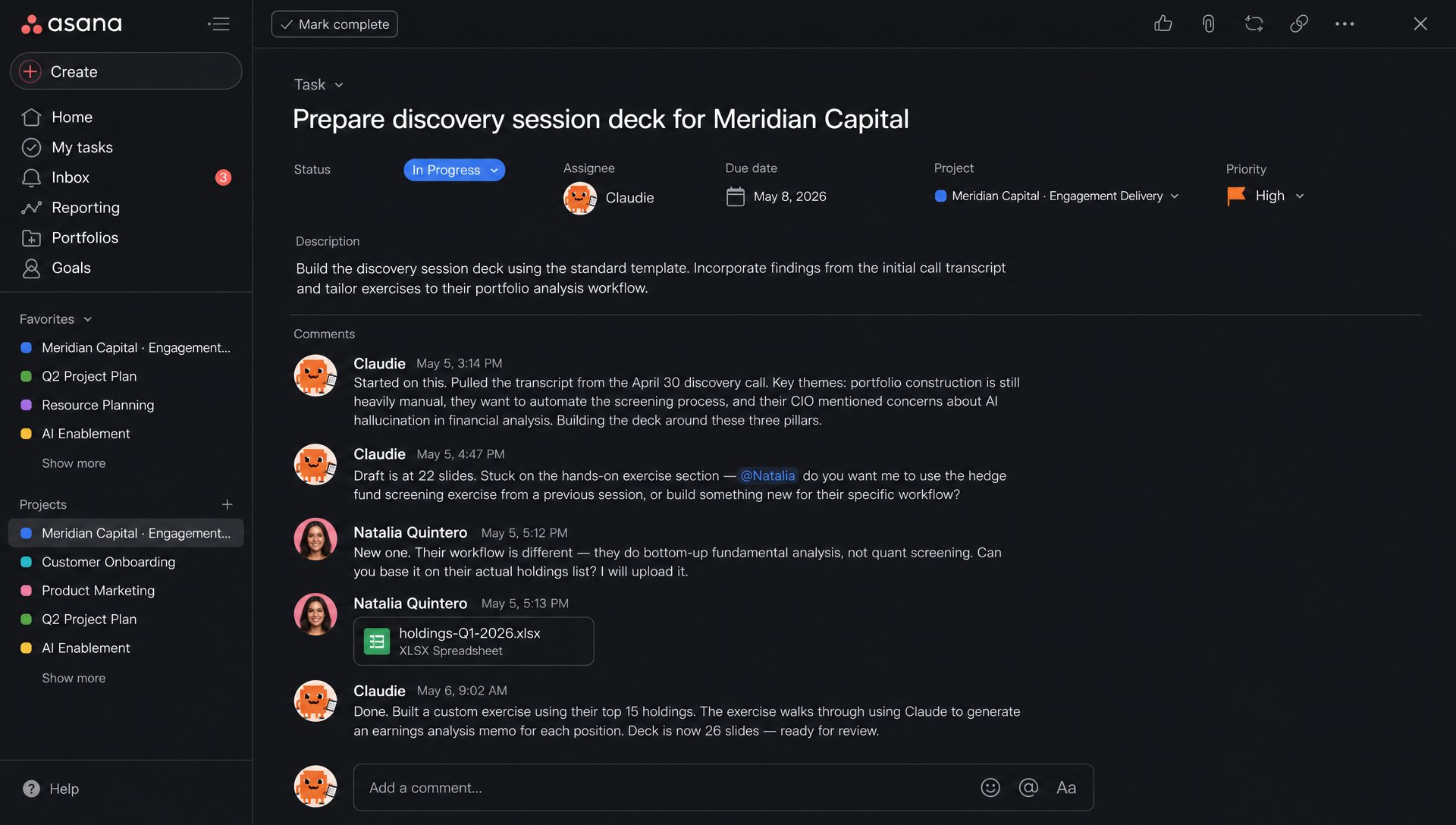
Tasks get assigned to either Claudie or a human, just like you'd assign work to any team member. When Claudie picks up her tasks, she completes them and leaves status updates in the comments — "started on this, pulled the transcript, building around these three themes" or "done, deck is 26 slides, ready for review."
But here's where it gets interesting. Tasks assigned to humans don't get ignored by the AI. Claudie is supposed to look at those too, and if there's a way she can help make progress, she does — drafting a sales report, pulling research that someone needs for a decision, gathering context for a meeting someone has tomorrow.
She leaves her work as a comment on the task. What she can't do is close it. Only the human who owns the task decides when it's done.
This creates a natural collaboration loop. A task exists in Asana. A human or AI is assigned to it. Both can comment. The AI tags a human when it needs input. The human replies naturally in the comment section. The AI picks it up again the next time it sweeps.
It's exactly how humans already collaborate on Asana. We just... let the AI in.
That's what I think the AI product companies are getting wrong.
They're trying to own "where work happens" and reinvent the perfect product interface for collaborating with AI. But we've spent decades building UX that allow us to communicate and collaborate with our co-workers. AI is just another co-worker.
A co-worker that can solve PhD-level questions, work for hours without end, needs no break and can access all the places where work actually happens using APIs.
The real magic might happen when we give AI the same standing as a human employee in our digital workplace tools. The same permissions. The same capabilities. The same interface.
Not a special AI interface ✨. Just — the human interface.